BrainlessITC Gift Cards for WooCommerce
Sell digital gift cards in your WooCommerce store. Customers pick an amount and write a message, the recipient gets the code by email and redeems it at checkout — any balance left stays on the card.
What it does
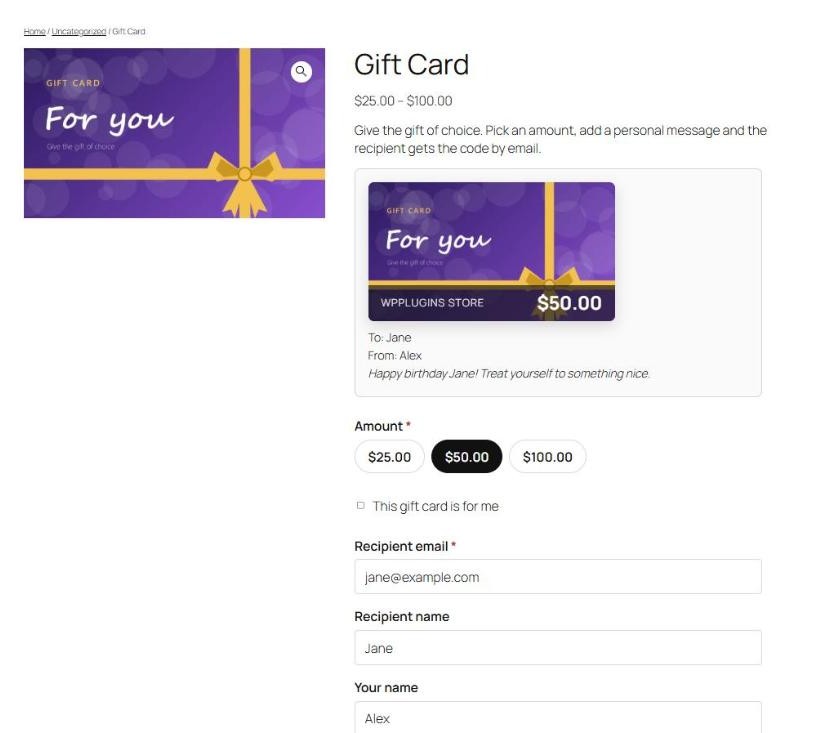
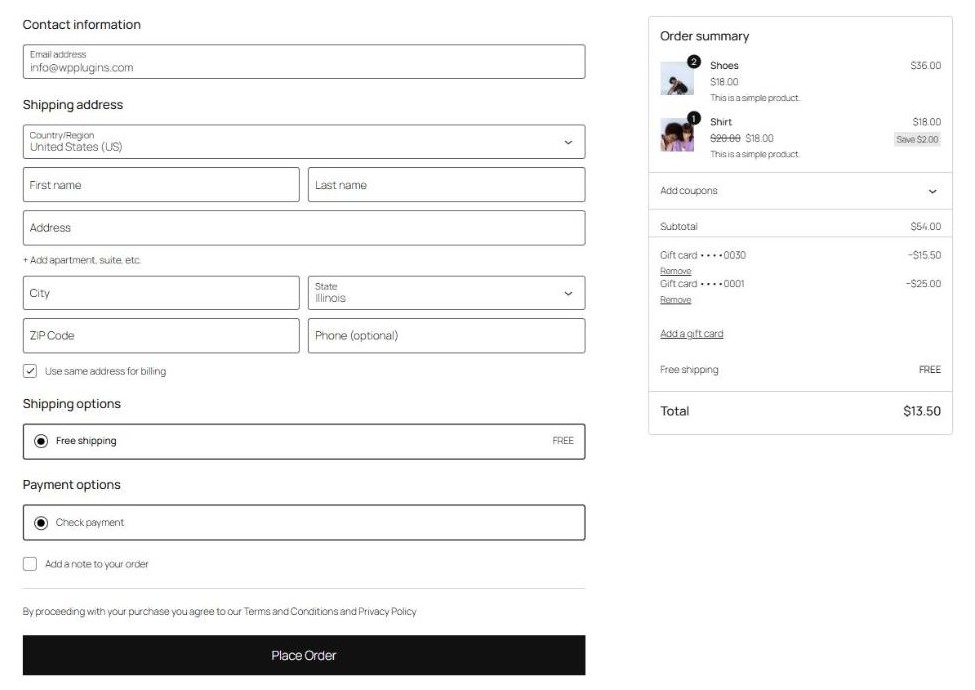
BrainlessITC Gift Cards adds a Gift card product type to WooCommerce. Customers choose an amount, enter the recipient's email and a personal message, and pay like for any other product. When the order is paid, BrainlessITC Gift Cards creates a unique code and emails it to the recipient. The recipient enters the code on the cart or checkout page; only the amount needed is used and the rest stays on the card.
Gift cards are applied after taxes and shipping, like a payment — not like a coupon — so your tax reports stay correct.
How it works
- Create a gift card product. Choose the product type Gift card and enter the amounts, for example
25, 50, 100. - A customer buys it. They choose an amount, enter the recipient's email and a message, and check out.
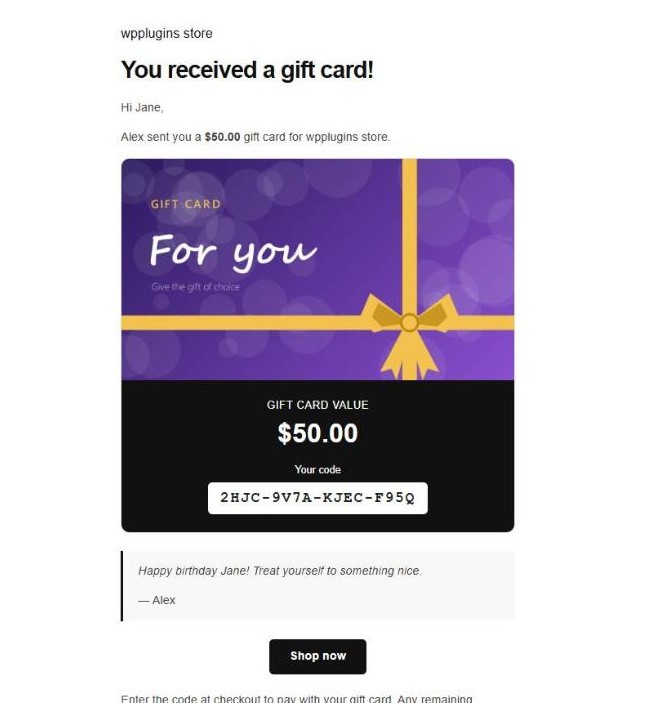
- The code is emailed. When the order is paid (status Processing by default), a unique code is created and sent to the recipient.
- The recipient redeems it. They enter the code at checkout — or click Shop now in the email, which fills in the code for them. The balance is used for the order; the rest stays on the card.
Free vs Pro
The free plugin is complete on its own. BrainlessITC Gift Cards Pro is a complete plugin that replaces the free one — every gift card, balance and setting is kept, in both directions.
| Feature | Free | Pro |
|---|---|---|
| Gift card product type with preset amounts | ✓ | ✓ |
| Recipient, sender, personal message, "for me" option, live preview | ✓ | ✓ |
| Gift card email with a redeem link that fills in the code, copy to the buyer | ✓ | ✓ |
| Redeem on classic and block cart / checkout, partial balances, several cards | ✓ | ✓ |
| Gift card manager: history, balance adjustment, enable/disable, resend, manual cards | ✓ | ✓ |
| Balance checker block and shortcode, GDPR tools, HPOS | ✓ | ✓ |
| Custom amounts (min / max) | — | ✓ |
| Scheduled delivery date | — | ✓ |
| Gift card designs gallery | — | ✓ |
| PDF gift cards with QR code | — | ✓ |
| Expiry dates and expiry reminder emails | — | ✓ |
| My Account > Gift cards (wallet) | — | ✓ |
| Several recipients per purchase, physical (shipped) gift cards | — | ✓ |
| Redemption rules: minimum order, excluded categories, shipping | — | ✓ |
| Bulk generation, CSV import and export | — | ✓ |
| Refund an order to a gift card (store credit) | — | ✓ |
| Reports: sold, redeemed, outstanding balance, expired | — | ✓ |
Requirements
- WordPress 6.4 or newer (tested up to 7.1)
- WooCommerce 8.5 or newer (tested up to 11.1)
- PHP 7.4 or newer