Request Product Quote Pro
Turn quote requests into orders: send priced proposals your customers accept and pay online.
What Pro adds
Pricing & trial
- Includes updates and support for the year. Renews yearly; cancel anytime.
- 14-day free trial started from your WordPress dashboard — no credit card needed.
- 14-day refund policy: if a technical problem stops Pro from working on your site and we can't fix it, you get a refund.
- Checkout, licenses and invoices are handled securely by Freemius, our licensing and payments partner.
Get and install Pro
Pro is an add-on: keep the free plugin installed and active — Pro builds on it.
From your dashboard (trial or purchase)
- Go to Quotes › Add-Ons.
- Open BrainlessITC Request Product Quote Pro and choose Start free trial or buy a license.
- Pro is downloaded, installed and activated for you.
From the checkout page
- Buy Pro. You receive an email with your license key and a download link for the Pro zip.
- Upload the zip in Plugins › Add New Plugin › Upload Plugin and activate it.
- Enter your license key when asked. Pro features switch on immediately.
All quotes and settings from the free plugin are used as they are — nothing is migrated, nothing is lost.
Proposals
With Pro the quote screen becomes a proposal editor.
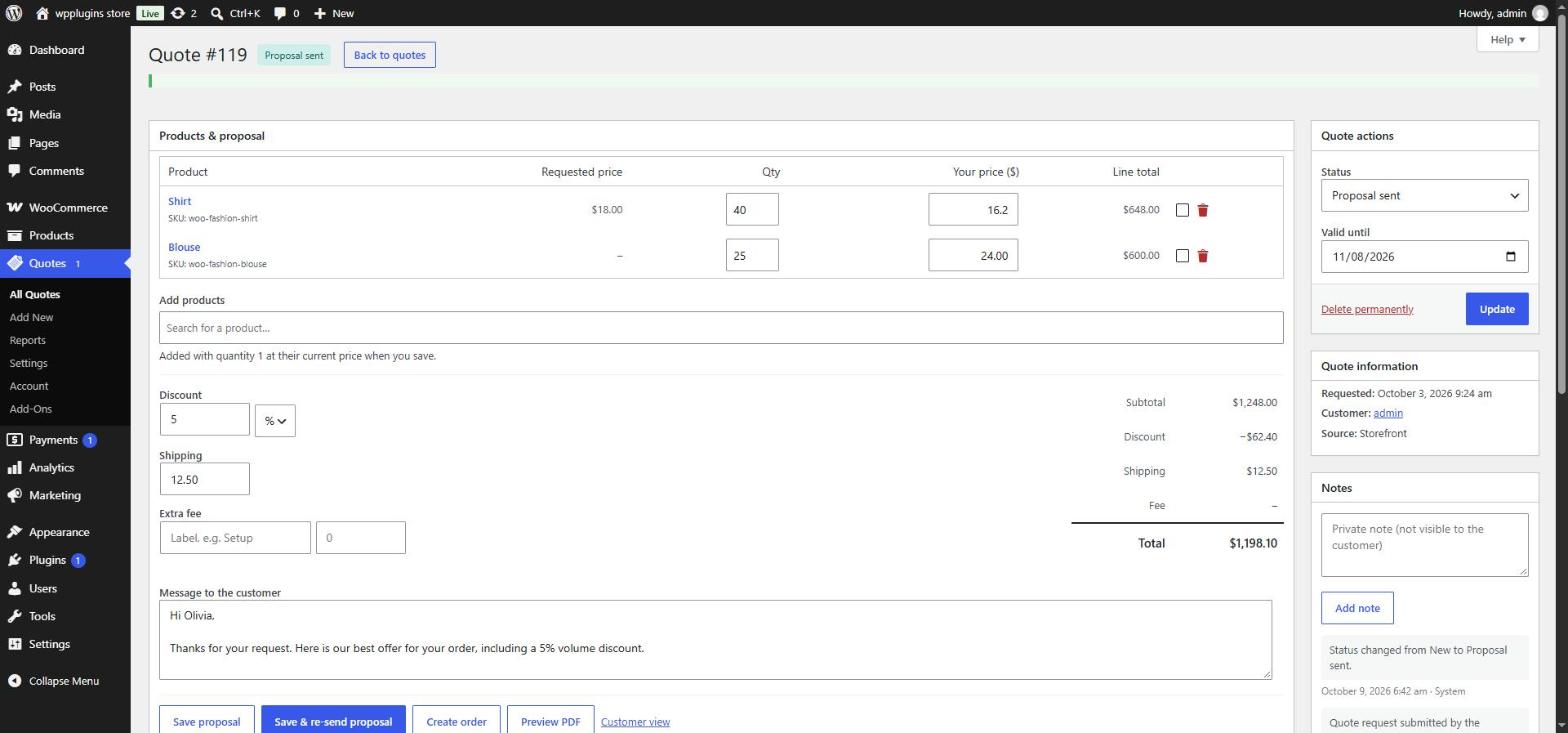
- Set your prices. Enter Your price per product (leave empty to use the catalog price) and adjust quantities. Tick a row's remove box (🗑) to drop it, or search to add products.
- Add totals. A discount (percentage or fixed amount), shipping and an extra fee with your own label. Totals update as you type.
- Write a message to the customer and set Valid until (the default comes from Valid for (days)).
- Click Save & send proposal. The customer receives the Quote proposal email with a secure link (and the PDF attached, if enabled). The status changes to Proposal sent. Changed something later? Save & re-send proposal sends the updated version.
Other buttons: Save proposal (save without sending), Create order (turn the quote into an order yourself — useful for phone or email agreements), Preview PDF and Customer view (see exactly what the customer sees).
The customer's side
The link in the proposal email opens the proposal on your quote page — no account needed. Logged-in customers also find it in My Account.
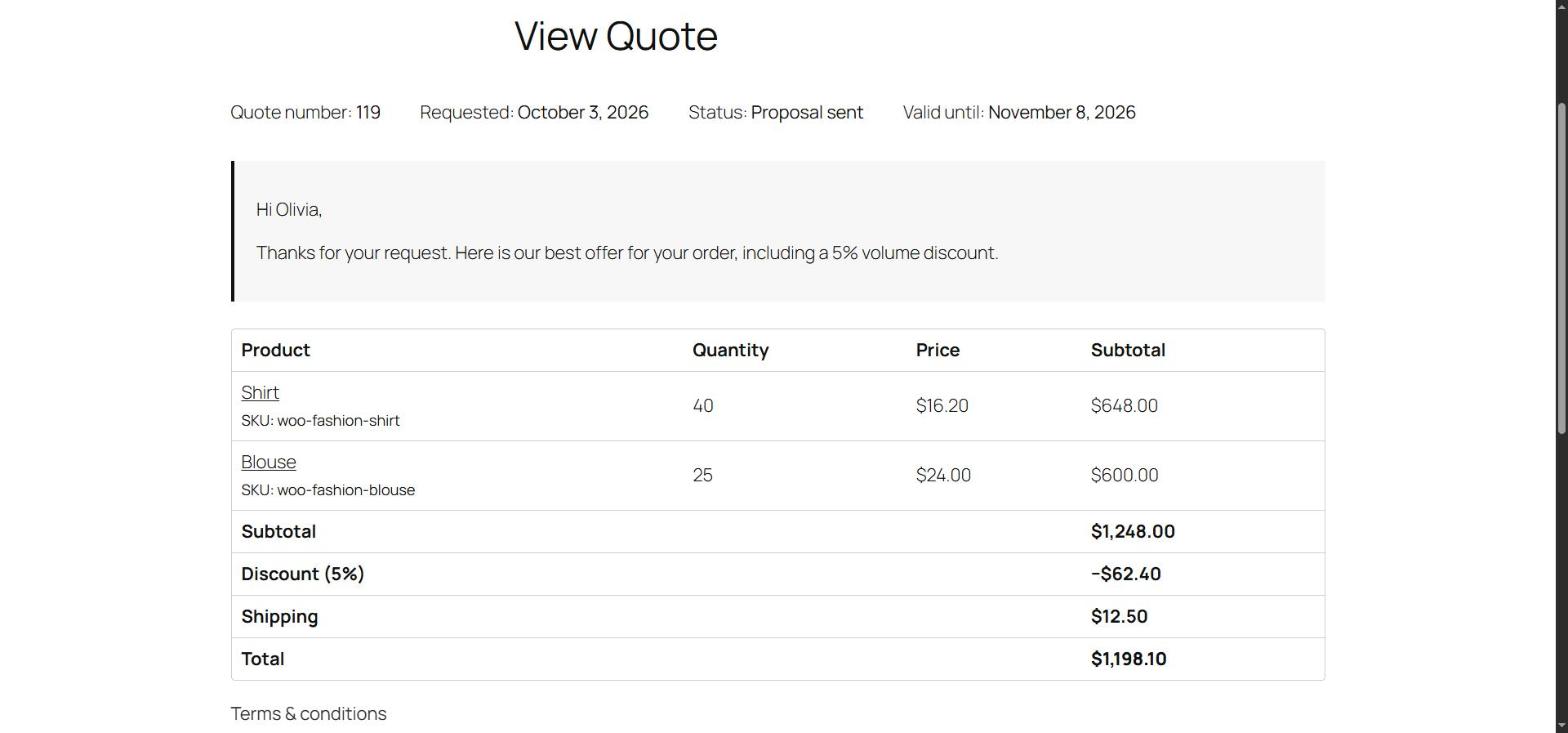
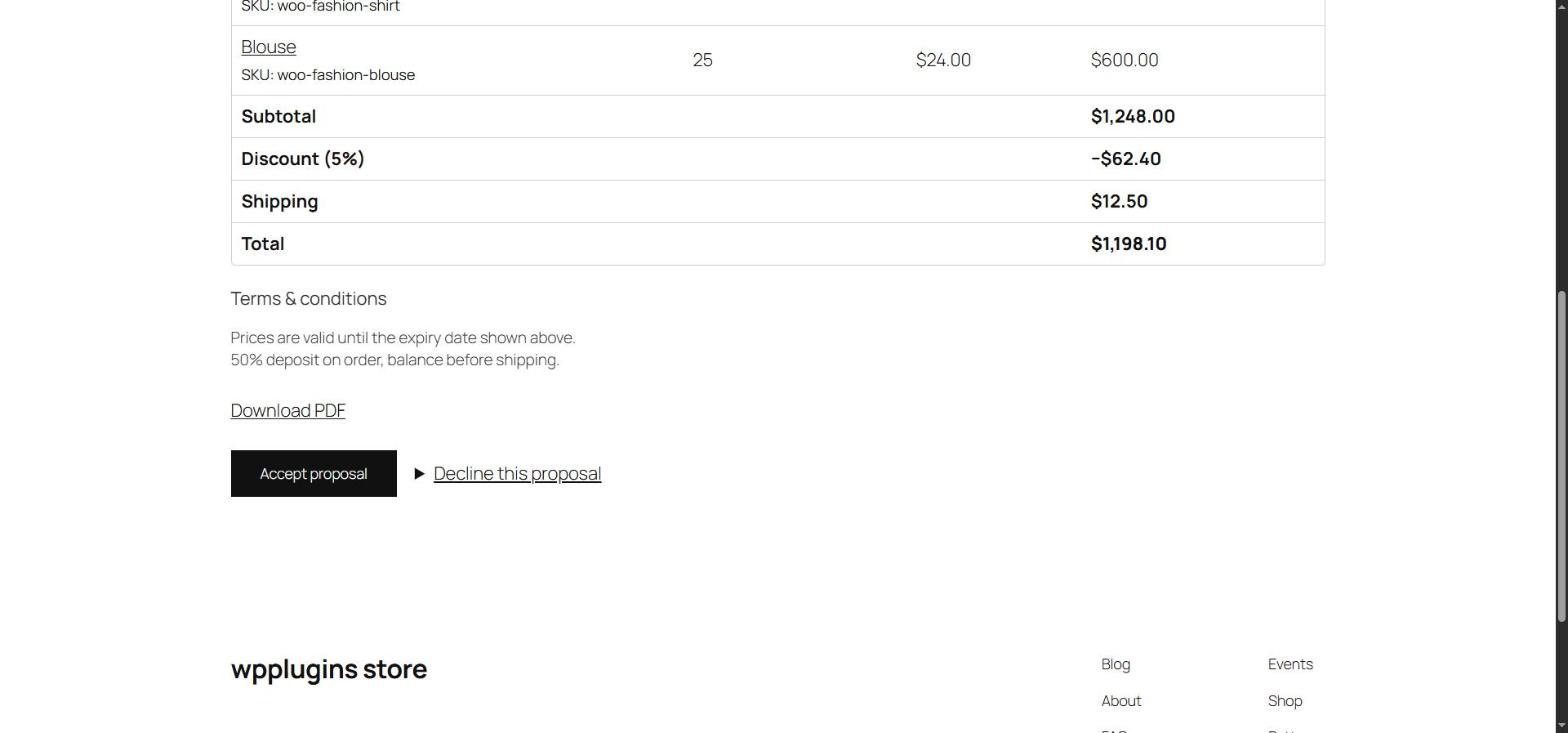
- Accept proposal — the status becomes Accepted and you get the Quote accepted email. With Create order on acceptance on, a pending order is created at your proposal prices and the customer goes straight to the payment page (only the payment methods you allowed are offered). Once the order exists the status becomes Ordered.
- Decline this proposal — the customer can add a reason. The status becomes Rejected and you get the Quote declined email.
- Expired — after the expiry date the buttons disappear and the customer is asked to contact you.
My Account quotes
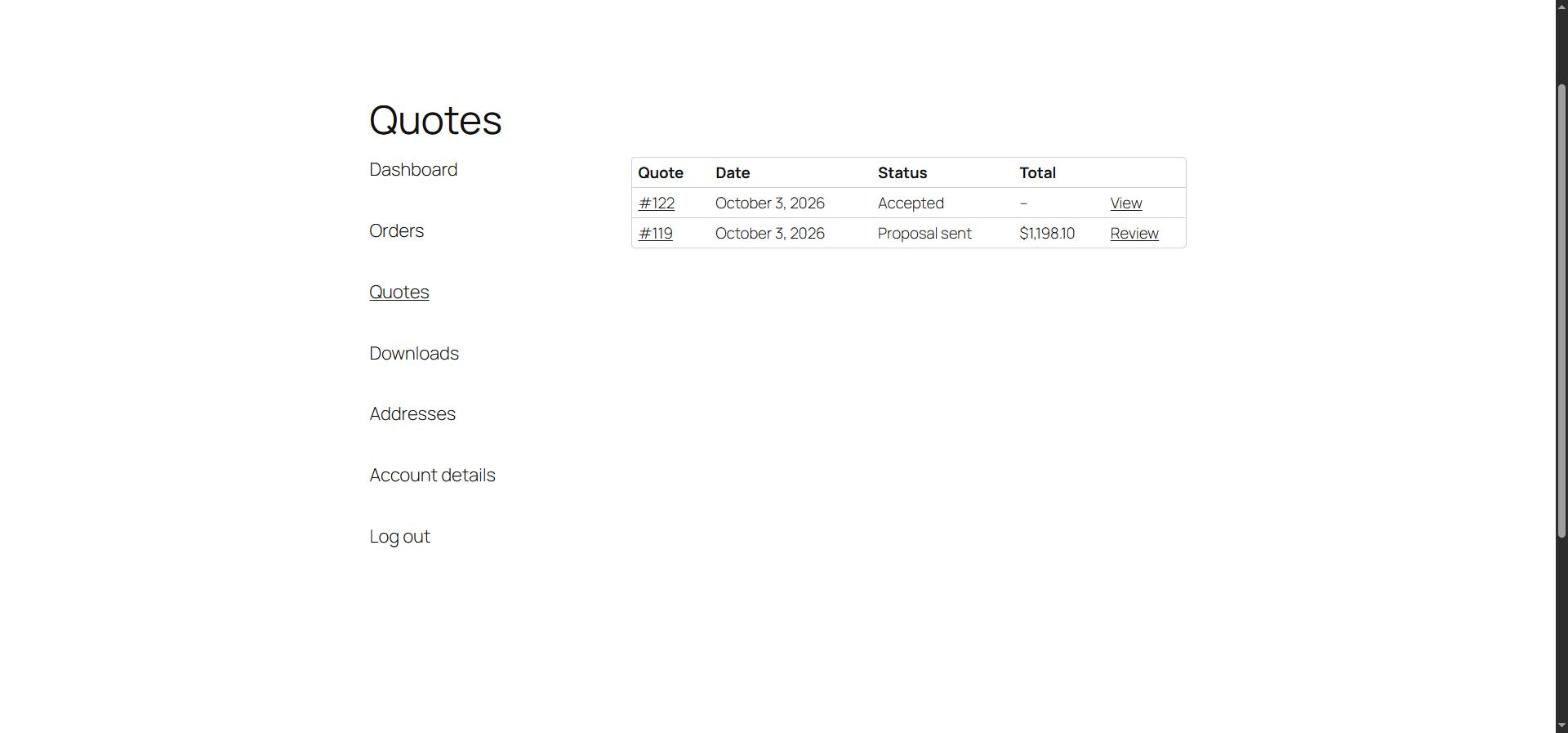
Logged-in customers see their quote history, open proposals to review, accept or decline them, and download PDFs. Turn it off with My Account if you don't need it.
PDF quotes
PDFs include your logo, company details, the customer, products with your prices, totals, your message, terms and a footer. Configure them in Settings › PDF. Customers can download the PDF from the proposal and from My Account; you can preview it from the quote screen.
Rules
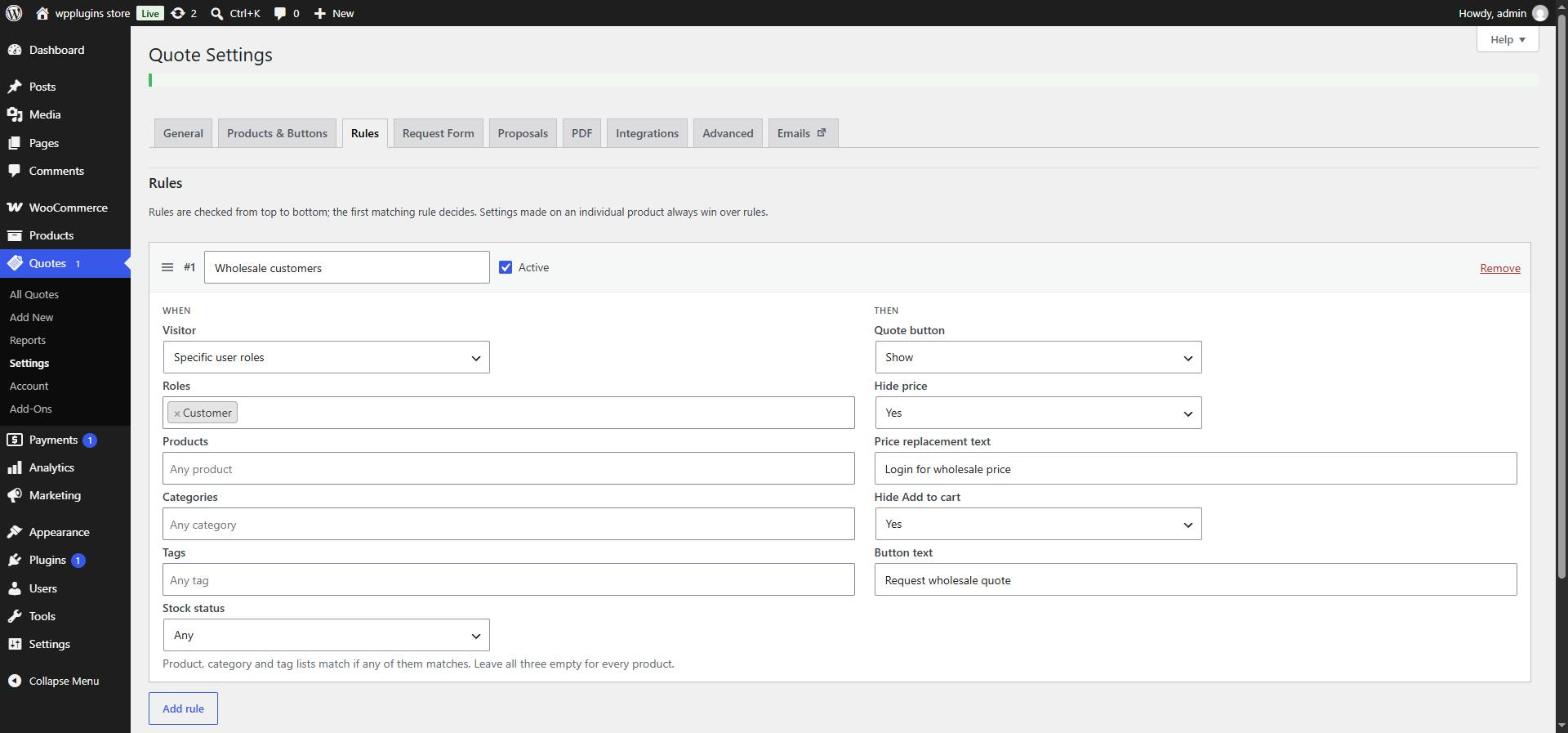
Combine visitor type or roles with products, categories, tags and stock status, then decide whether to show the quote button, hide the price (with optional text), hide Add to cart and change the button text. Details: Settings › Rules.
Form builder
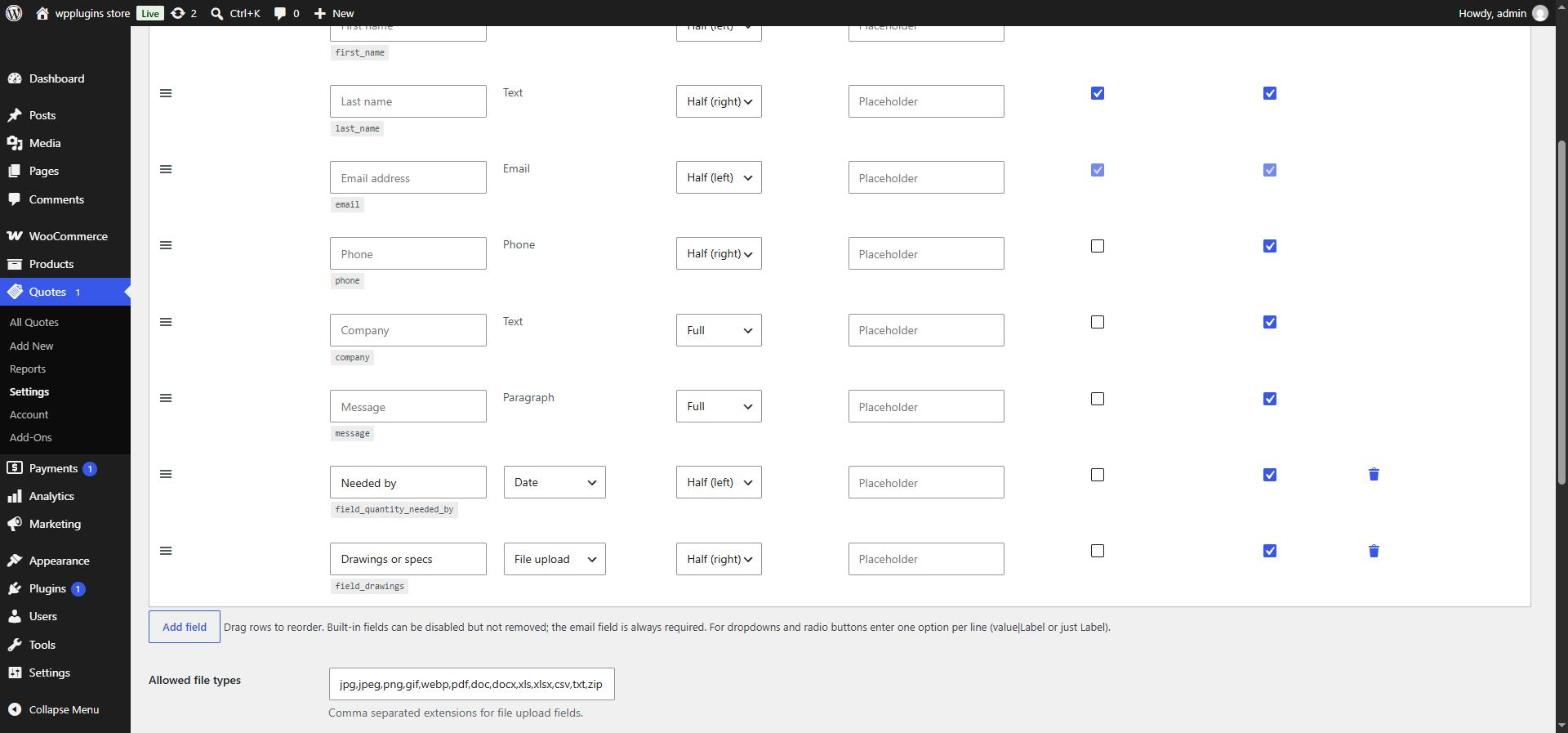
- Add fields of type text, paragraph, email, phone, number, date, dropdown, radio buttons, checkbox and file upload.
- Set label, width (full or half), placeholder or options, required and enabled; drag rows to reorder. For dropdowns and radios enter one option per line (
value|Labelor justLabel). - Built-in fields can be disabled but not removed; the email field is always required.
- Uploaded files are checked against Allowed file types and Maximum file size, stored privately, and downloadable only by store managers from the quote screen.
More Pro tools
Create quotes in the admin
Quotes › Add New creates a quote for an existing customer or a new contact — handy after a phone call. Add products and prices on the next screen and send it as a proposal.
Cart to quote
Shows a Request a quote for this cart button on the cart page that moves the cart's products into the quote list (optionally emptying the cart). Products that can't be quoted stay in the cart.
Target price
Customers can enter the unit price they hope for next to each product in their quote list. You see it on the quote screen and in the admin email.
CAPTCHA
Protect the request form with Cloudflare Turnstile or Google reCAPTCHA v3 (Settings › Integrations).
Webhooks
Send new quotes and status changes to Zapier, Make, your CRM or your own code — see Developers › Webhooks.
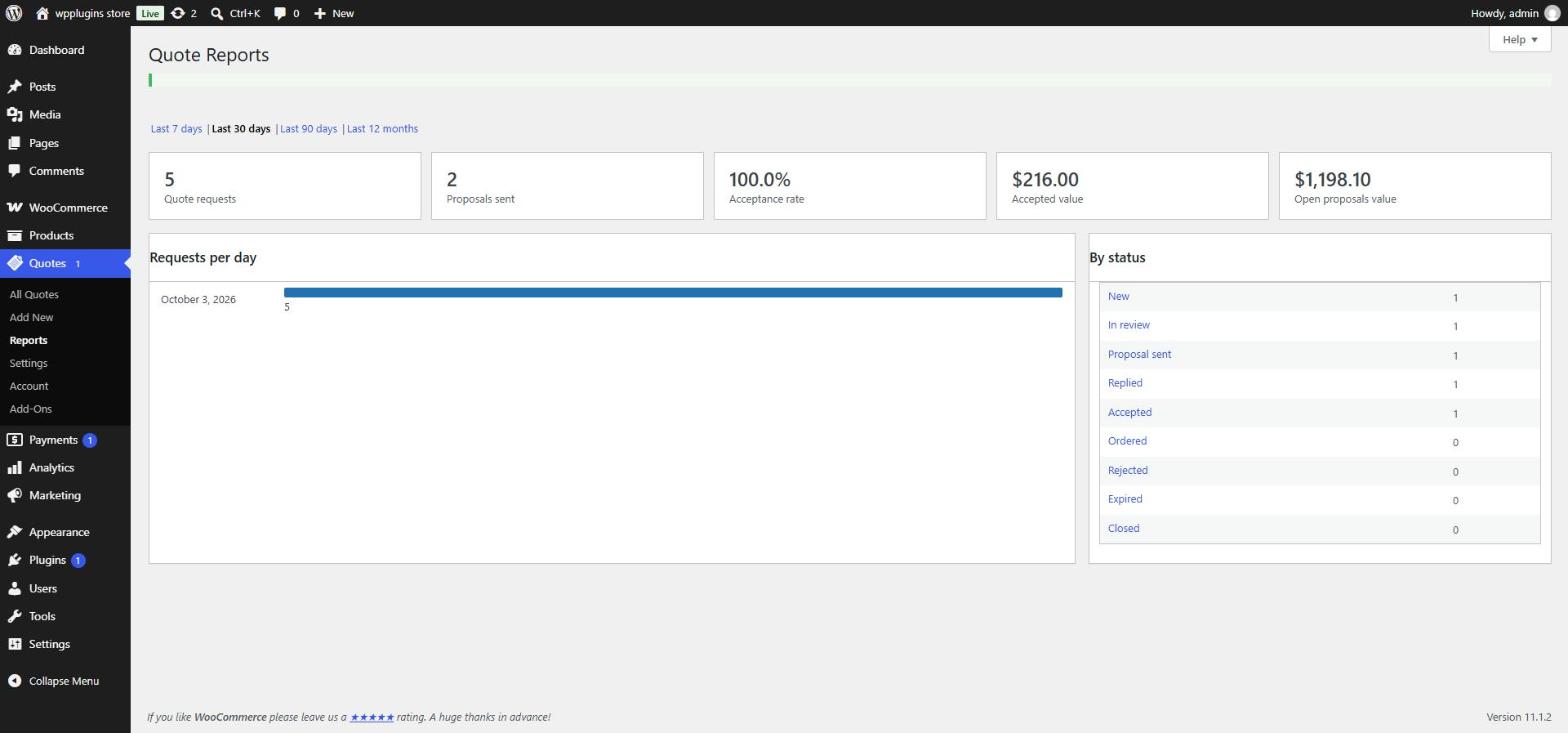
Reports
License & your data
- If the license expires or is deactivated, Pro features pause and a notice explains how to reactivate. Your quotes and settings stay safe.
- Deactivating Pro returns the store to the free features; quotes created with Pro stay available.
- Manage your license, sites and invoices in Quotes › Account or from the email you received at purchase.